
Advanced CSV Viewer Tool – 9 Features & Complete CSV Viewing Guide
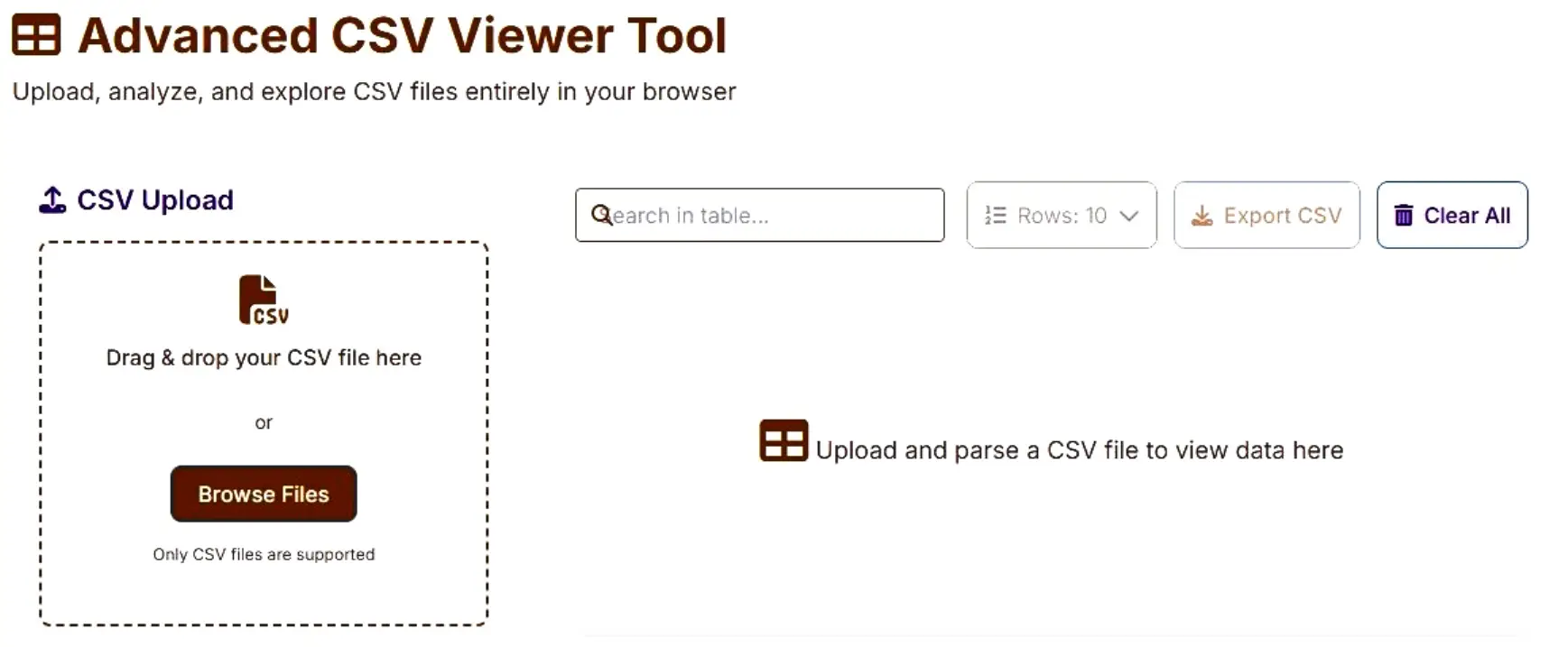
Managing large CSV files can be frustrating, especially when traditional spreadsheet software becomes slow or crashes. The Advanced CSV Viewer Tool by freetoolscraft.com solves this problem by allowing you to upload, view, search, sort, and analyze CSV files directly in your browser — without installing any software or uploading data to a server.
This powerful yet user-friendly online CSV viewer is designed for speed, privacy, and flexibility, making it ideal for developers, analysts, students, and business users.
What Is a CSV File?
A CSV (Comma-Separated Values) file is a plain text format used to store tabular data such as spreadsheets or databases. Each row represents a record, and each column is separated by a delimiter like a comma, semicolon, or tab. CSV files are lightweight and widely supported but become difficult to read when files grow large — this is where an advanced CSV viewer becomes essential.
What Does the Advanced CSV Viewer Tool Do?
The Advanced CSV Viewer Tool lets you open and explore CSV files instantly in your browser. It intelligently parses your data, displays it in a clean table format, and provides advanced controls like search, sorting, pagination, column visibility, and export options.
All processing happens locally on your device, ensuring maximum speed and complete data privacy.
Key Features of Advanced CSV Viewer Tool
This tool includes powerful features that go far beyond a basic CSV viewer:
Drag & drop CSV upload
Automatic delimiter detection (comma, semicolon, tab)
Manual delimiter selection
First row as header toggle
Column sorting (ascending & descending)
Global table search
Pagination with custom rows per page
Column visibility toggle
Freeze first column option
Live file statistics (rows, columns, empty cells, duplicates)
Data preview panel
Export filtered data as CSV
Frontend-only processing (no server upload)
Who Can Use This Tool? & Where This Tool Is Useful?

The Advanced CSV Viewer Tool is perfect for:
Developers – Debug datasets and logs quickly
Data Analysts – Explore large CSV files without Excel
SEO Experts – Review keyword lists & reports
Students – Learn and analyze datasets easily
Business Users – View reports without software installation
Anyone who works with CSV files can benefit from this tool.
This tool is especially useful when:
Excel or Google Sheets becomes slow
You need to quickly inspect a large CSV
You want to search or sort raw CSV data
You are working on a shared or public computer
Privacy is critical and uploads are not allowed
It works perfectly on desktop browsers and modern devices.
How to Use Advanced CSV Viewer Tool (Step-by-Step)
Visit freetoolscraft.com
In Web Development Tools Category Open the Advanced CSV Viewer Tool
Drag & drop your CSV file or click “Browse Files”
Choose delimiter or keep auto-detect enabled
Click Parse CSV File
View, search, sort, and analyze data instantly
Export filtered data if needed
No registration. No uploads. No delays.
- Supported File Types & Size Limits
Supported format: .CSV only
Large files supported (browser dependent)
No fixed server-side size limit
Performance optimized with pagination
For extremely large files, reducing rows per page ensures smooth performance.
Benefits of Using This Tool & Is This Tool Free & Secure?
100% free to use
No software installation
Fast performance
Clean and responsive UI
Works completely offline after loading
Secure and privacy-focused
It’s a reliable alternative to heavy spreadsheet software.
Yes. The Advanced CSV Viewer Tool is completely free and highly secure.
✔ No data is uploaded
✔ No server processing
✔ No tracking
✔ No storage
All CSV parsing and analysis happen inside your browser.
Why Use Our Advanced CSV Viewer Tool?
Unlike many online tools, freetoolscraft.com focuses on:
Frontend-only architecture
Advanced controls in a simple UI
SEO-friendly & fast tools
No ads interfering with usage
Our goal is to provide professional-grade tools for everyone.
Frequently Asked Questions (FAQ)
Q: Can I use this without Excel?
Yes, completely browser-based.
Q: Does it support large CSV files?
Yes, with pagination and optimized rendering.
Q: Is my data saved anywhere?
No. Data never leaves your device.
Q: Can I export filtered data?
Yes, visible & filtered data can be exported.